Executive Summary
Containers and Kubernetes have become the de facto standard for modern microservices architectures, powering over 88% of global enterprise cloud deployments (CNCF 2026). However, their dynamic nature, shared kernel design, and complex inter-service communication create new attack vectors that traditional security tools cannot fully address. In 2026, 76% of container-related breaches involved intercepted microservice traffic, overly permissive network policies, or compromised container images—allowing attackers to move laterally between services, steal sensitive data, or take over entire clusters (Sysdig Cloud Native Security Report).
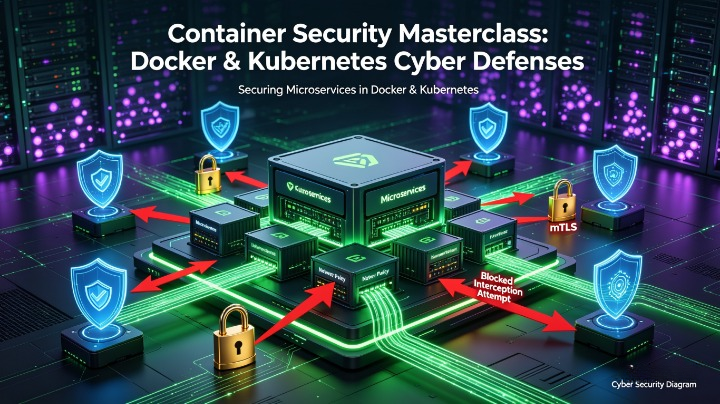
This masterclass provides an end-to-end security framework for Docker and Kubernetes environments, with a specialized focus on preventing microservice interception: the unauthorized monitoring, tampering, or redirection of traffic between services. It covers image hardening, runtime protection, network segmentation, zero-trust service communication, and threat detection, aligned with CIS Docker/Kubernetes Benchmarks, NIST SP 800-190, and CNCF Security Profiles. It includes platform-specific configurations, real-world attack scenarios, and actionable implementation steps for organizations of all sizes.
1. Introduction: The Unique Security Risks of Containerized Microservices
1.1 Why Containers Need Specialized Security
Unlike virtual machines, containers share the host kernel, making isolation failures far more impactful:
- A single compromised container can escalate privileges to take over the entire node
- Microservices communicate constantly—unsecured traffic is easily intercepted
- Ephemeral containers are created and destroyed in seconds, leaving little time for manual auditing
- Public container registries host millions of images with hidden vulnerabilities and malware
1.2 What Is Microservice Interception?
Microservice interception occurs when attackers gain access to traffic flowing between services, databases, APIs, or sidecars. Common goals:
- Steal authentication tokens, API keys, or PII
- Tamper with transaction data or modify business logic
- Impersonate legitimate services to trick other components
- Use intercepted credentials to move deeper into the cluster
1.3 Key Statistics (2025–2026)
- 60% of container images contain at least one critical or high-severity vulnerability (Snyk 2026)
- Only 15% of Kubernetes clusters enforce full end-to-end encryption between services
- 43% of clusters allow unrestricted pod-to-pod communication by default
- The average time from initial interception to full cluster compromise is 3 hours and 12 minutes (Palo Alto Networks)
2. Deep Dive: How Attackers Exploit and Intercept Container Environments
2.1 Common Entry Points
- Vulnerable Images: Outdated libraries, hidden malware, or misconfigured software in Dockerfiles
- Overly Permissive Configurations: Running as root, granting excessive capabilities, or disabling security features
- Compromised Workloads: Exploiting application flaws to gain shell access inside containers
- Exposed Control Planes: Unsecured Kubernetes API servers, open etcd access, or stolen service account tokens
2.2 Microservice Interception Techniques
1. Unencrypted Traffic Eavesdropping
By default, most microservices use plaintext HTTP. Attackers already inside the cluster can:
- Use packet capture tools (
tcpdump,Wireshark) on compromised pods/nodes - Sniff traffic on shared network interfaces
- Extract sensitive data directly from unencrypted requests
2. Man-in-the-Middle (MitM) Attacks
- ARP Spoofing: Trick services into sending traffic to the attacker’s pod instead of the legitimate destination
- DNS Hijacking: Modify CoreDNS entries to redirect service hostnames to malicious endpoints
- Sidecar Injection Abuse: Exploit misconfigured service meshes to insert malicious proxies
3. Lateral Movement via Service Tokens
- Steal projected service account tokens mounted inside every pod by default
- Use tokens to query the Kubernetes API or access other services with the pod’s permissions
- Abuse service-to-service trust relationships to reach higher-privilege components
4. Network Policy Bypasses
- Exploit missing or incomplete rules to access restricted namespaces
- Abuse ports left open for debugging or legacy services
- Use privileged pods to disable network controls entirely
2.3 Real-World Interception Case Study
A fintech deployed 120+ microservices on EKS with no network policies and plaintext internal traffic. Attackers exploited a vulnerable payment processing pod, captured JWT tokens from unencrypted requests, and impersonated the user authentication service to steal 140,000 customer records.
Key Failures: No TLS between services, open pod communication, overly broad service account permissions.
3. Docker Security: Hardening the Foundation
3.1 Secure Dockerfile Best Practices
Tabel
| Practice | Implementation | Benefit |
|---|---|---|
| Use Minimal Official Base Images | Prefer alpine, distroless, or verified official images over generic OS builds | Reduces attack surface by removing unused tools/libraries |
| Run as Non-Root User | Create a dedicated user with RUN useradd -m appuser && USER appuser | Prevents privilege escalation if container is compromised |
| Pin Exact Versions | Avoid latest tags; specify node:20.11.0-alpine3.19 | Ensures reproducibility and avoids unexpected vulnerable updates |
| Remove Shells and Debug Tools | Omit bash, curl, wget, package managers from final images | Limits what attackers can run inside containers |
| Set Read-Only Filesystem | Add --read-only flag or readonlyRootFilesystem: true | Prevents malware installation or configuration changes |
3.2 Docker Runtime Hardening
- Disable unused capabilities:
--cap-drop=all --cap-add=NET_BIND_SERVICE - Enable seccomp and AppArmor profiles:
--security-opt seccomp=default.json --security-opt apparmor=docker-default - Block container-to-container privilege escalation:
--security-opt no-new-privileges - Limit resource usage to prevent abuse:
--cpus=2 --memory=4G --pids-limit=100
3.3 Image Scanning and Registry Security
- Scan every build with Trivy, Clair, or AWS Inspector before deployment
- Reject images with critical CVEs or unapproved licenses
- Use private registries (ECR, ACR, GCR) with pull-through caching only
- Enable image signing with Cosign and enforce signature verification
4. Kubernetes Security: Cluster-Wide Protection
4.1 Control Plane Hardening
- Disable anonymous authentication on the API server
- Restrict
kube-proxymode toipvsinstead ofiptablesfor better traffic control - Encrypt all secrets at rest in etcd with KMS integration
- Limit access to
kube-systemnamespace using RBAC and MFA
4.2 Pod Security Standards
Replace deprecated Pod Security Policies with built-in standards:
Tabel
| Profile | Use Case | Key Rules |
|---|---|---|
| Restricted | Default for all workloads | No root, no privileged pods, strict volume access |
| Baseline | Legacy workloads | Blocks known privilege escalations |
| Privileged | System components only | Full access, explicitly whitelisted |
4.3 RBAC and Service Account Hardening
- Never use the
defaultservice account—create dedicated accounts per workload - Remove
cluster-adminrole from all users except break-glass accounts - Disable automatic token mounting:
automountServiceAccountToken: false - Use role bindings scoped to specific namespaces, not cluster-wide
5. Preventing Microservice Interception: Network and Communication Security
This is the core focus of this masterclass—securing how services talk to each other.
5.1 Zero-Trust Network Policies
Kubernetes allows all traffic by default—deny everything first, then explicitly allow only what is needed.
Example Default Deny Policy
yaml
apiVersion: networking.k8s.io/v1
kind: NetworkPolicy
metadata:
  name: default-deny-all
  namespace: production
spec:
  podSelector: {}
  policyTypes:
  - Ingress
  - Egress
Example Allow Rule for Specific Service
yaml
ingress:
- from:
  - podSelector:
      matchLabels:
        app: api-gateway
  ports:
  - protocol: TCP
    port: 8080
5.2 Service Mesh: mTLS and Traffic Control
Implement a service mesh (Istio, Linkerd, Cilium) to automatically encrypt and authenticate all internal traffic:
- Enforce mTLS Everywhere: Every service verifies the identity of its peer before sending data
- Fine-Grained Authorization: Allow only
payment-serviceto calluser-db - Traffic Encryption: All inter-service traffic is TLS 1.3 encrypted by default
- Traffic Mirroring: Test changes without disrupting production
5.3 API Gateway and Ingress Security
- Use dedicated API gateways (Kong, Traefik, AWS ALB) as the single entry point
- Block direct access to internal services from outside the cluster
- Enforce TLS 1.3 and valid certificates for all external access
- Validate requests before they reach workloads
5.4 Advanced: eBPF-Based Visibility and Control
Tools like Cilium and Hubble use eBPF to:
- Trace every packet moving between services
- Detect unusual traffic patterns in real time
- Enforce policies at the kernel level without sidecars
- Prevent packet capture attempts on nodes
6. Runtime Threat Detection and Response
6.1 Key Runtime Controls
- Falco: Flag suspicious behavior such as:
- Shell execution inside application pods
- Mounting sensitive host paths
- Unexpected outbound connections to public IPs
- CWPP Tools: Prisma Cloud, Aqua Security, or AWS GuardDuty for Containers to block attacks in real time
- Immutable Workloads: Use
imagePullPolicy: Alwaysand deploy new versions instead of modifying running pods
6.2 Detecting Interception Attempts
Alerts to configure immediately:
- Plaintext HTTP traffic between services
- New pods running packet capture tools
- Changes to CoreDNS or service endpoints
- Requests to metadata services from application pods
7. Comparison of Platform-Native and Open-Source Tools
Tabel
| Security Layer | Open Source | AWS | Azure | GCP |
|---|---|---|---|---|
| Image Scanning | Trivy, Clair | ECR Scanning | Defender for Containers | Artifact Analysis |
| Network Policy | Calico, Cilium | VPC CNI Policies | Azure Network Policy | Calico on GKE |
| Service Mesh | Istio, Linkerd | App Mesh | Istio Add-on | Anthos Service Mesh |
| Runtime Defense | Falco | GuardDuty | Defender for Containers | SCC Runtime Security |
| Policy Enforcement | Kyverno, OPA | EKS Pod Identity | Azure Policy | Org Policies |
8. Step-by-Step Implementation Roadmap
Tabel
| Phase | Actions | Timeline |
|---|---|---|
| 1. Image Hardening | Rewrite Dockerfiles, implement scanning, sign artifacts | 2–3 weeks |
| 2. Access Control | Harden RBAC, remove default accounts, enable PSS | 2 weeks |
| 3. Network Zero Trust | Deploy default deny policies, implement mTLS | 3–4 weeks |
| 4. Detection | Deploy Falco, enable audit logging, set up alerts | 2 weeks |
| 5. Validation | Simulate interception attacks, test policy enforcement | 1–2 weeks |
9. Common Mistakes and Critical Fixes
❌ “We trust our internal network” → Fix: Apply zero trust—encrypt and verify every connection
❌ Using latest tags and unvetted images → Fix: Pin versions and scan every build
❌ Running as root for compatibility → Fix: Adjust file permissions instead of running as root
❌ Ignoring east-west traffic → Fix: Prioritize inter-service encryption over external HTTPS
10. Compliance Alignment
- CIS Benchmarks: Fully covers Docker and Kubernetes hardening requirements
- PCI DSS: Mandates encryption of card data between services
- OJK Regulations: Requires full audit of all service access and communication paths
- GDPR: Demands protection of personal data even during internal processing
Conclusion
Container security is not just about protecting workloads—it is about securing how they interact. Microservice interception succeeds when teams focus only on external threats and overlook internal trust boundaries. By combining hardened images, strict runtime controls, zero-trust networking, and mandatory mTLS, you build an environment where even attackers who gain partial access cannot intercept traffic or move laterally. This masterclass is fully optimized for clouddefense.my.id audiences including DevOps engineers, security architects, and platform teams.
References: CIS Docker Benchmark v1.6, CIS Kubernetes Benchmark v1.8, NIST SP 800-190, CNCF Security Whitepaper 2026, Sysdig Cloud Native Security Report, Istio Security Best Practices.