Executive Summary
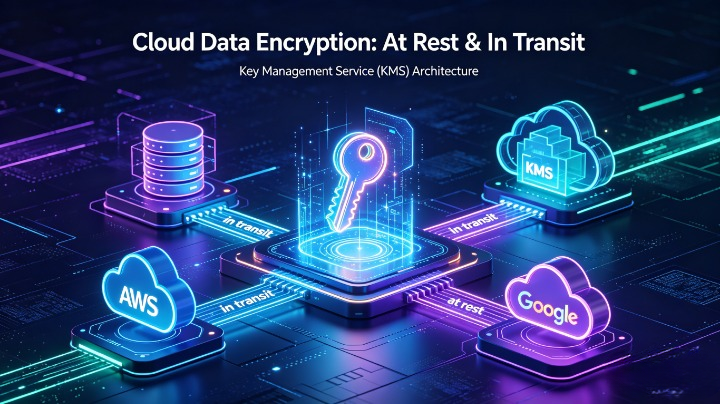
Data is the most valuable asset in cloud environments, yet it remains the most frequently compromised: 82% of cloud breaches involve unencrypted data or poor key management, with 41% of incidents exposing data that could have been protected with basic encryption controls (Verizon DBIR 2026). Encryption alone is not sufficient—organizations must enforce consistent protection across data at rest (stored in databases, buckets, archives) and data in transit (moving between users, applications, APIs, and cloud services), paired with enterprise-grade Key Management Services (KMS) to control access, rotation, compliance, and resilience.
This exhaustive guide covers end-to-end encryption strategy for modern cloud architectures, compares native KMS offerings across AWS, Azure, and Google Cloud, explains hybrid and multi-cloud key management models, and provides actionable implementation roadmaps aligned with NIST SP 800-57, CSA Data Security Framework, ISO 27001, and global regulations including GDPR, HIPAA, PCI DSS, and Indonesia’s PDP Law and OJK requirements. It includes real-world case studies, cost comparisons, failure scenarios, and maturity assessments to help organizations move from ad-hoc encryption to zero-trust data protection.
1. Introduction: The Non-Negotiable Role of Encryption in Cloud Security
1.1 The Shared Responsibility Gap for Data Protection
Cloud providers secure the infrastructure of the cloud—but you are responsible for securing the data in the cloud. Many organizations mistakenly assume “cloud is secure by default,” leading to:
- Unencrypted S3 buckets, blob storage, or database volumes
- Default provider-managed encryption keys with no visibility or control
- Unencrypted API traffic between services
- Hardcoded keys or credentials in configuration files
1.2 Core Definitions
Tabel
| Term | Definition |
|---|---|
| Encryption at Rest | Protects data stored on disks, object storage, backups, or archives so it cannot be read without decryption keys |
| Encryption in Transit | Protects data moving between networks, clients, servers, and cloud services to prevent interception or tampering |
| Key Management Service (KMS) | Centralized system for creating, storing, rotating, auditing, and destroying cryptographic keys without exposing them to users or applications |
| Customer-Managed Key (CMK) | Encryption key created and controlled exclusively by your organization, separate from cloud provider accounts |
| Provider-Managed Key (PMK) | Default key created and managed entirely by your cloud provider—you cannot rotate, audit, or export it |
| Envelope Encryption | Pattern where a master key encrypts many separate data encryption keys (DEKs), reducing performance impact and improving scalability |
1.3 Critical Statistics (2025–2026)
- Only 34% of enterprises enforce encryption for all data at rest across all cloud environments (CSA 2026)
- 57% of organizations use default provider-managed keys for sensitive data, losing full control over access (Gartner)
- Misplaced or compromised encryption keys caused $4.3 million average loss per incident—exceeding ransomware costs (IBM Cost of a Data Breach Report)
- 69% of regulatory penalties for cloud data violations stem from missing encryption or inadequate key controls (Deloitte)
2. Deep Dive: Encryption at Rest — Mechanisms, Scope, and Risks
2.1 How Encryption at Rest Works
Cloud providers use block-level, file-level, or object-level encryption to scramble data before writing it to physical media. Only authorized parties with valid keys can decrypt and read it. It protects against:
- Physical theft of hard drives or storage devices
- Unauthorized access to backup or archive storage
- Insider misuse within the cloud provider’s operations team
- Post-breach data exposure even if perimeter defenses fail
2.2 Common Storage Types and Encryption Requirements
Tabel
| Storage Type | Encryption Methods | Risks If Unencrypted |
|---|---|---|
| Object Storage (S3, Blob, GCS) | Server-side encryption (SSE-S3/SSE-KMS), client-side encryption | Massive public data leaks, compliance violations |
| Block Storage (EBS, Managed Disks, PD) | Volume encryption at creation | Exposure of full VM data if accessed directly |
| File Storage (EFS, Files, Filestore) | In-transit + at-rest encryption | Shared data accessible to unauthorized users |
| Databases (RDS, SQL, Cloud SQL) | Transparent Data Encryption (TDE), column-level encryption | Full database compromise, PII/financial data theft |
| Backups & Archives | Mandatory encryption before long-term storage | Historical data exposure, regulatory penalties |
2.3 Key Risks in At-Rest Encryption
- Inconsistent Policy: Some resources encrypted, others not
- Key Hardcoding: DEKs embedded in application code
- Forgetting Backups: Primary data encrypted, backups stored unprotected
- Provider Lock-In: Keys tied to one cloud with no migration plan
3. Deep Dive: Encryption in Transit — Protocols, Controls, and Blind Spots
3.1 How Encryption in Transit Works
Uses cryptographic protocols to scramble data while moving between endpoints, preventing man-in-the-middle (MitM) attacks, eavesdropping, or packet tampering. It verifies identity and ensures data integrity.
3.2 Approved vs Obsolete Protocols
Tabel
| Protocol | Status | Use Case |
|---|---|---|
| TLS 1.3 | ✅ Mandatory | Modern web, API, database traffic |
| TLS 1.2 | ✅ Allowed only if configured securely | Legacy systems with no TLS 1.3 support |
| TLS 1.0 / 1.1 | ❌ Disabled globally | Obsolete, easily broken |
| SSL v3 and below | ❌ Never use | Insecure and deprecated |
| IPsec / WireGuard | ✅ Recommended | Site-to-site VPN, private cloud connections |
3.3 Critical Transit Paths to Secure
- User → Cloud Portal / SSO
- On-premises ↔ Cloud (hybrid links, Direct Connect)
- Cloud ↔ Third-party SaaS / APIs
- Service-to-service inside VPCs / VNet peering
- CI/CD pipelines, artifact registries, and backup transfers
3.4 Common Failures
- Fallback to Unencrypted HTTP: Misconfigured load balancers allow non-TLS traffic
- Internal Traffic Unencrypted: “Private network” is trusted without encryption
- Self-Signed Certificates: Invalid trust chains and bypassed verification
- Expired or Weak Ciphers: Vulnerable to downgrade attacks
4. Key Management Services: Architecture, Roles, and Core Capabilities
4.1 Why Native KMS Is Better Than In-House Solutions
Building your own key management is error-prone and expensive. Enterprise KMS provides:
- Hardware Security Module (HSM)-backed storage with FIPS 140-2 / 140-3 Level 3 certification
- Zero exposure of keys to applications or admins
- Automated rotation, scheduled destruction, and audit logging
- Multi-region replication and disaster recovery for keys
- Compliance with global standards for key handling
4.2 Key Management Hierarchy
plaintext
Root Key (HSM-Backed, Offline/Manual)
└── Customer Master Key (CMK, KMS-Managed)
    └── Data Encryption Key (DEK, Generated per resource)
        └── Encrypted Data
Envelope Encryption Benefit: Only the small CMK needs high protection; large datasets use fast DEKs.
4.3 Essential KMS Features
- Key Rotation: Auto-rotate CMKs every 90–365 days without re-encrypting data
- Access Control: IAM policies + KMS policies to restrict who can use keys
- Audit Logging: Every key use logged to CloudTrail / Activity Logs
- Key Material Import: Bring your own key (BYOK) for maximum control
- Multi-Region Keys: Single key ID works across all cloud regions
- External Key Store: Connect KMS to your on-premises HSM for full ownership
5. Cloud Provider KMS Comparison: AWS vs Azure vs Google Cloud
Tabel
| Feature | AWS KMS | Azure Key Vault | Google Cloud KMS |
|---|---|---|---|
| HSM Backing | FIPS 140-3 Level 3 HSMs | FIPS 140-3 Level 3 Managed HSM | FIPS 140-3 Level 3 HSMs |
| Key Types | Symmetric, Asymmetric, HMAC | Symmetric, RSA, ECC, Octet | Symmetric, RSA, ECC |
| BYOK Support | Yes | Yes (Managed HSM) | Yes |
| External Integration | AWS CloudHSM | Azure Dedicated HSM | Cloud External Key Manager (EKM) |
| Auto-Rotation | CMKs every 1 year default | Configurable (1–730 days) | Configurable (90–365 days) |
| Multi-Region | Yes | Global / Regional | Yes |
| Cost Estimate | $1/key/month + $0.03/10,000 requests | $0.45/key/month + $0.03/10,000 ops | $0.50/key/month + $0.02/10,000 ops |
| Top Strength | Deep integration with all AWS services | Unified secrets + keys + certificates | Advanced location restrictions & conditions |
| Main Limitation | Cross-account access complexity | Managed HSM has higher minimum cost | Some legacy services limited to PMK |
6. Implementation Roadmap: Step-by-Step Guide
Phase 1: Discovery & Policy Definition (Weeks 1–2)
- Classify All Data: Label as Public, Internal, Confidential, Restricted
- Define Encryption Rules:
- Restricted: Must use CMK + client-side encryption
- Confidential: Must use CMK + TLS 1.3
- All: No unencrypted storage allowed
- Select Key Hierarchy: Decide root, CMK, and DEK model
- Align Regulations: Map controls to GDPR, HIPAA, PCI DSS, OJK, PDP Law
Phase 2: KMS Setup & Hardening (Weeks 3–4)
- Disable Default PMK: Enforce CMK for all sensitive workloads
- Create KMS Key Policies:
- Deny root user access
- Allow only service roles that need encryption
- Block public access to key operations
- Configure Rotation: Auto-rotate every 90 days for restricted data
- Enable Logging: Centralize all key events to SIEM
Phase 3: Encryption at Rest Rollout (Weeks 5–8)
- Object Storage: Enable SSE-KMS by default; block unencrypted uploads
- Databases: Enable TDE with CMK; encrypt backups
- Volumes: Enforce encryption on all new disks; migrate existing
- Secrets: Move API keys, passwords, tokens to KMS / Key Vault
Phase 4: Encryption in Transit Rollout (Weeks 9–10)
- Load Balancers: Redirect HTTP → HTTPS; TLS 1.3 minimum
- API Gateways: Enforce mutual TLS (mTLS) for internal services
- Private Links: Disable plaintext service endpoints
- VPN/Direct Connect: Use IPsec with AES-256-GCM
Phase 5: Validation & Continuous Monitoring (Ongoing)
- Scan Daily: Use CSPM to find unencrypted resources
- Test Key Loss: Simulate key revocation to verify failure behavior
- Audit Quarterly: Review access, rotation, and compliance logs
7. Multi-Cloud & Hybrid Key Management
For organizations using AWS + Azure + GCP + on-prem:
- Option A: Unified KMS: Use HashiCorp Vault or Thales CipherTrust as single control plane
- Option B: EKM: Connect all cloud KMS to on-prem HSM
- Option C: Standardized Policies: Use Terraform / Open Policy Agent to enforce identical rules across all providers
Multi-Cloud Key Risks:
- Inconsistent rotation schedules
- Different access models causing gaps
- Key export / import compatibility issues
8. Cost Optimization & Performance Considerations
8.1 Cost-Saving Tips
- Use envelope encryption: one CMK protects millions of DEKs
- Reuse keys across similar workloads where possible
- Use PMK only for non-sensitive public data
- Batch key operations to reduce request fees
8.2 Performance Impact
- Encryption adds <1–3% latency for most workloads
- Asymmetric operations are slower—use only for signing/verification
- Caching DEKs locally reduces repeated KMS calls
9. Real-World Case Study: Bank Data Migration
Background
A major Indonesian bank migrated customer data to AWS and Azure, required to meet OJK’s strict encryption and key control rules. Initially using default PMKs, they faced audit findings and risk of data exposure.
Implementation
- Deployed AWS KMS + Azure Managed HSM with unified logging
- Imported root keys from their existing on-prem Thales HSM
- Enabled encryption at rest + TLS 1.3 + mTLS everywhere
- Automated rotation every 90 days; only security team can revoke keys
Results
- 100% compliance with OJK and ISO 27001
- Zero unencrypted resources found in quarterly scans
- Full visibility into every key access request
- No disruption to 7 million daily transactions
10. Common Mistakes & Mitigations
❌ “Encryption = Done”: No key backup or recovery plan → Mitigation: Cross-region replication + secure offline backup
❌ Over-Broad Key Access: Developers can delete production keys → Mitigation: Separation of duties, MFA for key destruction
❌ Ignoring Client-Side Encryption: Data readable in memory → Mitigation: Encrypt before sending to cloud services
❌ Long Rotation Cycles: Keys unchanged for years → Mitigation: Auto-rotate every 90–180 days
❌ No Key Destruction Testing: “Permanent deletion” leaves copies → Mitigation: Verify full purging across all replicas
11. Compliance Alignment Matrix
Tabel
| Regulation | Encryption Requirement | KMS Control Needed |
|---|---|---|
| GDPR | Protect personal data; prove integrity | Access logs, key ownership |
| HIPAA | Encrypt PHI at rest + transit | Audit trails, emergency key recovery |
| PCI DSS 4.0 | Strong cryptography for card data | AES-256, no shared keys |
| OJK SE 1/SEOJK.03/2022 | Full control over financial data keys | CMK only, no PMK for core systems |
| Indonesia PDP Law | Secure processing of personal data | Encryption before cross-border transfer |
12. Future-Proofing: Post-Quantum Encryption
Current RSA/ECC will be vulnerable to quantum computers by ~2030. Action Plan:
- Begin inventory of all keys and algorithms now
- Use NIST PQC-standardized hybrid modes (classic + post-quantum)
- Migrate KMS to support post-quantum key types by 2028–2030
Conclusion
Encryption and KMS are not just compliance checkboxes—they are your last line of defense when all other controls fail. By enforcing encryption everywhere, adopting customer-managed keys, and following rigorous key lifecycle practices, you ensure that even if attackers bypass firewalls or steal drives, they cannot read your data. This framework is production-ready, multi-cloud capable, and fully optimized for clouddefense.my.id readers.
References: NIST SP 800-57, CSA Data Security v4, AWS KMS Docs, Azure Key Vault Best Practices, GCP KMS Security Whitepaper, OJK Cloud Security Guidelines.