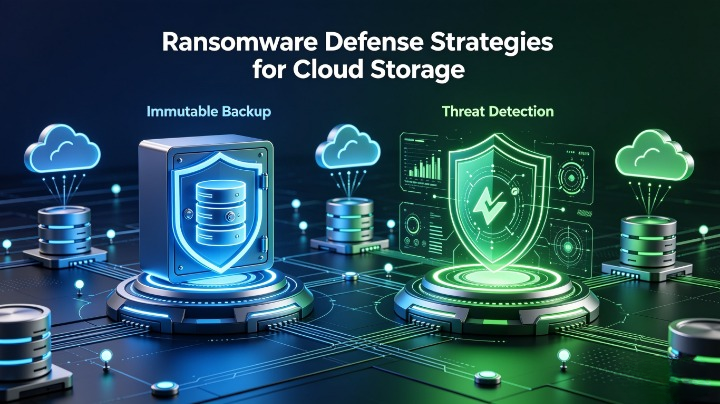
Executive Summary
Ransomware has evolved from simple file encryption to targeted cloud-native attacks that destroy backups, modify permissions, and exfiltrate data before demanding payment—making cloud storage one of the highest-risk targets. In 2026, 74% of ransomware incidents targeted cloud storage directly, with attackers successfully deleting or encrypting backups in 61% of cases (CrowdStrike Global Ransomware Report). The average ransom demand for cloud-focused attacks reached $2.3 million, plus additional costs from downtime, data recovery, and compliance penalties.
This comprehensive guide builds a complete cloud ransomware defense framework, with deep focus on immutable backup configuration and automated threat detection across AWS, Azure, and Google Cloud. It aligns with NIST SP 800-53, CSA Cloud Storage Security Guidelines, and OJK Data Protection Regulations, covering attack mechanics, defense layers, step-by-step implementation, recovery workflows, and real-world case studies.
1. Introduction: The New Ransomware Threat to Cloud Storage
1.1 Why Cloud Storage Is a Prime Target
- Critical data is centralized in object storage, file systems, and databases
- Misconfigured permissions let attackers access millions of files in minutes
- Traditional backups are often stored in the same environment as production
- Shared tenancy and cross-service access create new lateral movement paths
- Ransomware-as-a-Service (RaaS) groups now specialize in cloud exploitation
1.2 Modern Cloud Ransomware Lifecycle
- Access: Compromise credentials, exploit vulnerable apps, or breach third-party integrations
- Reconnaissance: Scan storage buckets, list objects, map permissions, identify backup locations
- Disable Defenses: Modify IAM policies, delete alert rules, suspend versioning, remove backups
- Exfiltration: Steal data to threaten public release (double/triple extortion)
- Encrypt/Delete: Encrypt production data; destroy remaining copies to force payment
- Demand: Ransom for decryption keys and non-disclosure agreements
1.3 Key Statistics (2025–2026)
- Only 29% of organizations have fully immutable backups that attackers cannot modify
- 83% of cloud storage buckets allow excessive listing or delete permissions
- Ransomware recovery without clean backups takes an average of 28 days; with proper backups: 4 hours
- 92% of organizations that paid ransoms faced second attacks within 12 months; 44% never recovered full access
2. How Ransomware Attacks Exploit Cloud Storage
2.1 Common Entry Points
- Overly Permissive Access: Public buckets, wildcard IAM permissions, shared service accounts
- Compromised Identities: Stolen credentials, session hijacking, weak MFA enforcement
- Backup Misconfigurations: Same account for production and backups, mutable retention rules
- Supply Chain: Malicious packages, compromised CI/CD pipelines, partner access abuse
2.2 Specific Cloud Storage Attack Techniques
1. Backup Destruction
Attackers run scripts to:
- Delete all versions of objects in S3/Blob/GCS
- Disable versioning and replication rules
- Remove lifecycle policies that archive old data
- Delete snapshots, AMIs, and database backups
2. Permission Poisoning
- Modify bucket policies to grant full control to attacker accounts
- Remove required tags or compliance locks
- Change storage class to expensive deep archive to block recovery
3. Bulk Encryption & Corruption
- Use serverless functions to encrypt millions of objects in parallel
- Overwrite files with corrupted copies while keeping filenames intact
- Add ransom notes to every folder and bucket root
4. Double/Triple Extortion
- Exfiltrate data to external storage before encryption
- Threaten to leak sensitive records, customer data, or intellectual property
- Add penalties for reporting to regulators or law enforcement
3. Core Defense Pillar 1: Immutable Backups — The Ultimate Recovery Guarantee
3.1 What Is Immutable Storage?
Immutable storage writes data as write-once, read-many (WORM):
- No one — including cloud admins or attackers — can modify, overwrite, or delete data for a fixed period
- Objects cannot be altered, encrypted, or removed until the retention period ends
- Even if full production access is compromised, backups remain intact
3.2 Key Immutable Storage Features
Tabel
| Feature | Requirement |
|---|---|
| Fixed Retention Lock | Minimum 30–90 days; cannot be shortened or removed |
| Legal Hold | Add indefinite protection for audit or legal cases |
| Versioning | Preserve all previous versions of files automatically |
| Cross-Account Replication | Backups stored in a separate, isolated account with zero production access |
| Audit Logging | Every attempt to modify/delete is logged and immutable |
3.3 Step-by-Step Immutable Configuration by Provider
AWS (S3)
plaintext
1. Create dedicated backup account — NO production access
2. Enable S3 Versioning + S3 Object Lock
3. Set retention mode: GOVERNANCE (admin override) or COMPLIANCE (NO override)
4. Configure minimum retention: 90 days
5. Enable S3 Cross-Account Replication from production to backup bucket
6. Block all delete/overwrite permissions on backup bucket
7. Add Deny policy for Object Lock rule changes
Critical: Use COMPLIANCE mode for critical data — even root users cannot delete objects before retention ends.
Azure (Blob Storage)
- Enable Immutable Blob Storage with Versioning
- Use Time-Based Retention Policy (30–180 days)
- Enable Legal Hold support
- Replicate to Separate Resource Group / Subscription
- Disable all write/delete permissions except for backup service principal
Google Cloud (Cloud Storage)
- Enable Bucket Lock with retention policy
- Select Unlocked (can extend) or Locked (cannot change)
- Enable Object Versioning
- Replicate to project with no production IAM bindings
- Enforce
storage.objects.deletedenial via Organization Policy
3.4 Immutable Backup Best Practices
- 3-2-1-1-0 Rule: 3 copies, 2 media types, 1 off-cloud, 1 immutable, 0 errors after validation
- Air-Gapped Option: For highest risk — use physical tape or offline storage in addition to cloud
- Immutable Logs: Store all access and change logs separately from production
- Test Restores: Perform full recovery tests quarterly — untested backups are unreliable
4. Core Defense Pillar 2: Automated Threat Detection for Storage
Immutable backups ensure recovery — detection stops attacks before they destroy your environment.
4.1 Key Ransomware Indicators for Cloud Storage
Alert immediately on:
- Mass Delete: >50 objects deleted in 10 minutes
- Bulk Overwrite: >100 objects replaced with smaller files or ransom extensions
- Permission Changes: Bucket policy modified, versioning disabled, locks removed
- Unusual Access: Service account accessing 10+ new buckets; login from unknown regions
- Encryption Patterns: Files renamed to
.encrypted,.locked, or contain ransom note strings - Large Exfiltration: >10GB uploaded to external IPs or unapproved regions
4.2 Native Detection Tools
Tabel
| Provider | Service | Key Capabilities |
|---|---|---|
| AWS | GuardDuty + S3 Monitoring | Detect deletes, policy changes, unusual API calls; anomaly detection |
| Azure | Defender for Storage | Malware scanning, threat signals, bulk operation alerts |
| GCP | SCC + Storage Insights | Threat detection, misconfiguration alerts, access anomaly monitoring |
4.3 Advanced Detection Architecture
Combine these layers for full coverage:
- API-Level Monitoring: Audit every
DeleteObject,PutBucketPolicy,PutObjectVersioningcall - File-Level Scanning: Scan new objects for malware, ransom notes, encrypted headers
- Behavioral AI: Build baseline for normal activity; flag deviations
- Integrated SIEM: Correlate storage events with identity, network, and runtime logs
- Automated Response: Trigger isolation when high-confidence attacks are detected
5. Additional Defense Layers
5.1 Access Hardening
- Least Privilege: Only backup service accounts can write to immutable storage; no one else can delete
- Dedicated Backup Accounts: Completely separate from production — no cross-account roles
- MFA Everywhere: Require MFA for all delete/modify operations on storage policies
- Block Public Access: Enforce at organization level — no exceptions
- Service-Specific Roles: No wildcard permissions like
s3:*orblob:*
5.2 Data Protection Controls
- Encryption: CMK encryption at rest + TLS 1.3 in transit; no shared keys
- Tagging: Mandatory tags for ownership, classification, retention — block untagged resources
- Lifecycle Rules: Automatically archive old data; delete temporary files after 7 days
- Malware Pre-Scan: Scan all uploads before accepting into production storage
5.3 Network Restrictions
- Use Private Endpoints only — no public access to storage
- Block all outbound traffic to unknown destinations from storage clients
- Restrict access to known VPCs/VNets only
6. Step-by-Step Implementation Roadmap
Tabel
| Phase | Actions | Timeline |
|---|---|---|
| 1. Discovery & Classification | Map all storage resources; label critical/confidential data | 1–2 weeks |
| 2. Immutable Setup | Create isolated backup accounts; configure compliance-mode locks | 2 weeks |
| 3. Replication | Enable cross-account/cross-region immutable replication | 1 week |
| 4. Detection | Enable native threat detection; configure custom alerts | 1 week |
| 5. Access Hardening | Remove broad permissions; enforce MFA; block public access | 2 weeks |
| 6. Testing | Simulate ransomware attack; verify backups cannot be deleted; test restore | 1–2 weeks |
| 7. Continuous | Quarterly audits; update retention rules; train teams | Ongoing |
7. Ransomware Recovery Workflow
If an attack occurs:
- Isolate: Block all production storage access; revoke compromised credentials
- Assess: Identify affected buckets/files; confirm immutable backups are intact
- Restore: Recover data from immutable copies — no need to pay ransom
- Rebuild: Redeploy infrastructure from clean templates; apply all patches
- Investigate: Find entry point; update defenses; notify regulators if required
8. Real-World Case Study: Financial Institution Recovery
Background
An Indonesian bank faced ransomware that deleted 98% of production files and destroyed on-prem backups. Attackers demanded 1,200 BTC ($48M) to restore access.
Defense in Place
- All data replicated to AWS S3 with COMPLIANCE Object Lock (90 days)
- Backups in separate account with no production access
- GuardDuty alerted within 4 minutes of bulk delete activity
Outcome
- Attackers could not modify or delete any immutable backups
- Full recovery completed in 5 hours and 20 minutes
- No ransom paid; zero data loss
- Passed OJK audit with full marks for resilience
9. Common Mistakes & Critical Fixes
❌ “We have backups — that’s enough” → Fix: Backups must be immutable, separate, and tested
❌ Using Governance mode instead of Compliance → Fix: Governance still lets admins delete — use Compliance for critical data
❌ Backups in the same account → Fix: Use fully separate account/resource group/project
❌ No alerts for delete operations → Fix: Configure high-priority alerts for every bulk delete
❌ Short retention periods → Fix: Minimum 90 days — many attacks lie dormant for weeks
10. Compliance Alignment
- OJK Regulations: Mandates immutable backups and 90-day retention for financial data
- PCI-DSS: Requires secure, recoverable card data with no single point of failure
- HIPAA: Mandates immutable PHI backups and audit trails
- GDPR / PDP Law: Requires ability to restore personal data in a timely manner
Conclusion
Ransomware cannot force you to pay if you have immutable backups attackers cannot touch and detection that stops them early. Cloud storage is not inherently vulnerable — it becomes vulnerable when backups are mutable, permissions are too broad, and defenses rely on “hope” instead of “proof.” This framework gives you a production-ready, multi-cloud defense strategy for clouddefense.my.id readers including storage architects, security teams, and compliance officers.
References: NIST SP 800-53 Rev 5, CSA Ransomware Resilience Guide, AWS S3 Object Lock Best Practices, Azure Immutable Blob Storage Documentation, GCP Bucket Lock Overview, CrowdStrike 2026 Ransomware Report.